Vue lecture

Il y a de nouveaux articles disponibles, cliquez pour rafraîchir la page.
🔲 ☆

Udio – Créez de la musique de qualité grâce à l’IA

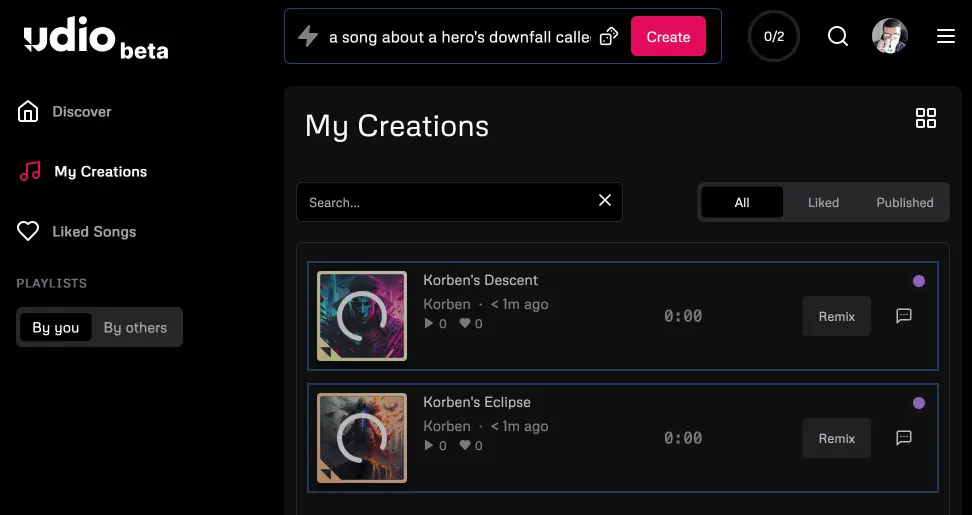
Vous vous souvenez de Suno qui permet de créer de la musique sans aucun talent ? Et bien il y a un petit nouveau dans la place et ce qu’il propose est encore plus dingue.

Cela s’appelle Udio, et c’est un site qui exploite la puissance de l’intelligence artificielle pour générer des morceaux musicaux à partir de simples descriptions textuelles. Avec Udio, vous avez accès à un univers musical d’une richesse inouïe, que vous soyez fan de jazz groovy, de métal extrême, de pop sucrée ou de classique grandiose, cette app en ligne a de quoi satisfaire tous les goûts. Vous pouvez même explorer des genres plus confidentiels comme la dream pop russe ou le reggaeton bollywoodien. Les possibilités sont infinies !

Voici un essai que j’ai fait, un peu à l’arrache.

Le fonctionnement est d’une simplicité enfantine puisqu’il vous suffit de taper une description de ce que vous voulez dans la boîte de prompt, par exemple « un morceau de piano jazz mélancolique sur une pluie d’été« . Et là, magie de l’IA, Udio vous pond un titre sur-mesure qui correspond exactement à votre demande.

Udio utilise en fait un grand modèle de langage (LLM), similaire à ChatGPT, pour d’abord générer les paroles à partir de votre prompt si besoin. Ensuite, il synthétise la musique en utilisant un modèle de diffusion, comme Stable Audio de Stability AI. A partir de votre prompt, Udio génère alors deux extraits de chanson distincts parmi lesquels vous pouvez choisir.

Vous pouvez ensuite customiser votre morceau en ajoutant vos propres paroles et Udio les chantera avec des voix d’un réalisme saisissant, dans une multitude de styles : soul suave, métal guttural, pop angélique… Vos textes prennent vie de manière incroyable. Vous pouvez même choisir la langue : japonais, russe, français, espagnol…etc.

Voici un autre extrait fait avec du français… C’est impressionnant.

Une fois votre chef d’œuvre terminé, libre à vous de le partager avec la communauté Udio. Ce qui est génial, c’est que ça permet également de découvrir les créations des autres utilisateurs, et même de recevoir des retours sur « vos » propres compositions. D’autres utilisateurs peuvent également remixer ou construire sur vos morceaux existants.

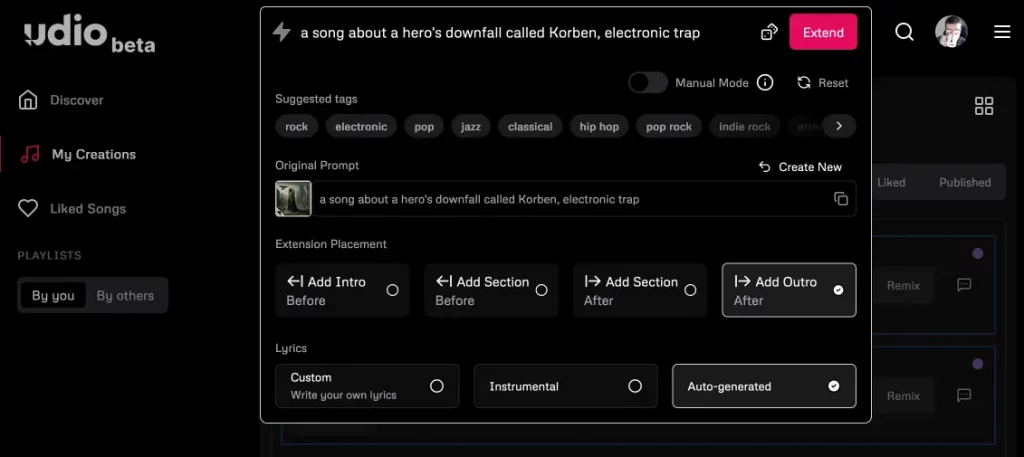
Udio permet aussi d’étirer vos morceaux pour créer des titres plus longs. Vous pouvez ajouter des intros, des outros, bref donner une vraie structure à vos songs. De quoi bluffer vos potes en leur faisant croire que vous avez composé un tube pendant le weekend ! Et si jamais vous tombez sur un titre qui vous botte mais que vous avez envie de le modifier, pas de soucis. Avec la fonction Remix, vous pouvez bidouiller les morceaux des autres pour en faire des versions à votre sauce. Ajoutez une ligne de basse funky sur une valse viennoise, mettez des paroles Olé Olé sur des mélodies de comptines… Tout est permis !

L’équipe derrière le projet considère son service comme un outil puissant au service des créatifs en mal d’inspiration. Les réalisateurs peuvent générer des bandes-son sur-mesure pour leurs films, les développeurs de jeux vidéo peuvent créer des thèmes épiques pour leurs productions, les publicitaires peuvent ponctuer leurs spots avec des jingles accrocheurs. Les applications professionnelles sont multiples.

Néanmoins, certains musiciens s’inquiètent de l’impact que pourrait avoir un tel outil comme l’indiquait la lettre de protestation signée la semaine dernière par plus de 200 artistes

Bref, vous l’aurez compris, Udio c’est le top pour tous ceux qui aiment expérimenter la musique par IA. En plus, pour le moment, c’est gratuit ! Mais l’équipe d’Udio a mis en place des mesures pour éviter que les morceaux générés ressemblent trop à des créations d’artistes existants. De quoi rassurer un peu la profession…

Pour en savoir plus, c’est par ici que ça se passe.

🔲 ☆

Android Studio intègre l’IA Gemini Pro

Ça y est, c’est officiel !

Google vient d’annoncer une nouvelle qui va faire plaisir au petit monde du développement Android. En effet, Android Studio, l’IDE préféré (ou pas) des développeurs, utilise maintenant le modèle Gemini 1.0 Pro pour rendre le développement d’applications Android plus rapide et plus facile.

Pour rappel, Gemini Pro, c’est un modèle d’IA de dernière génération, une sorte de super assistant intelligent qui va vous faciliter la vie quand vous codez vos apps Android, comme ça, si vous galérez sur une fonction complexe, hop, Gemini Pro débarque tel un chevalier blanc et vous propose gentiment de générer le code pour vous. J’expérimente déjà ça avec Github Copilot / ChatGPT / Claude 3 dans Visual Studio Code est c’est vraiment ce qu’on appelle un « Game Changer ». Alors si votre IDE c’est Android Studio, vous allez kiffer.

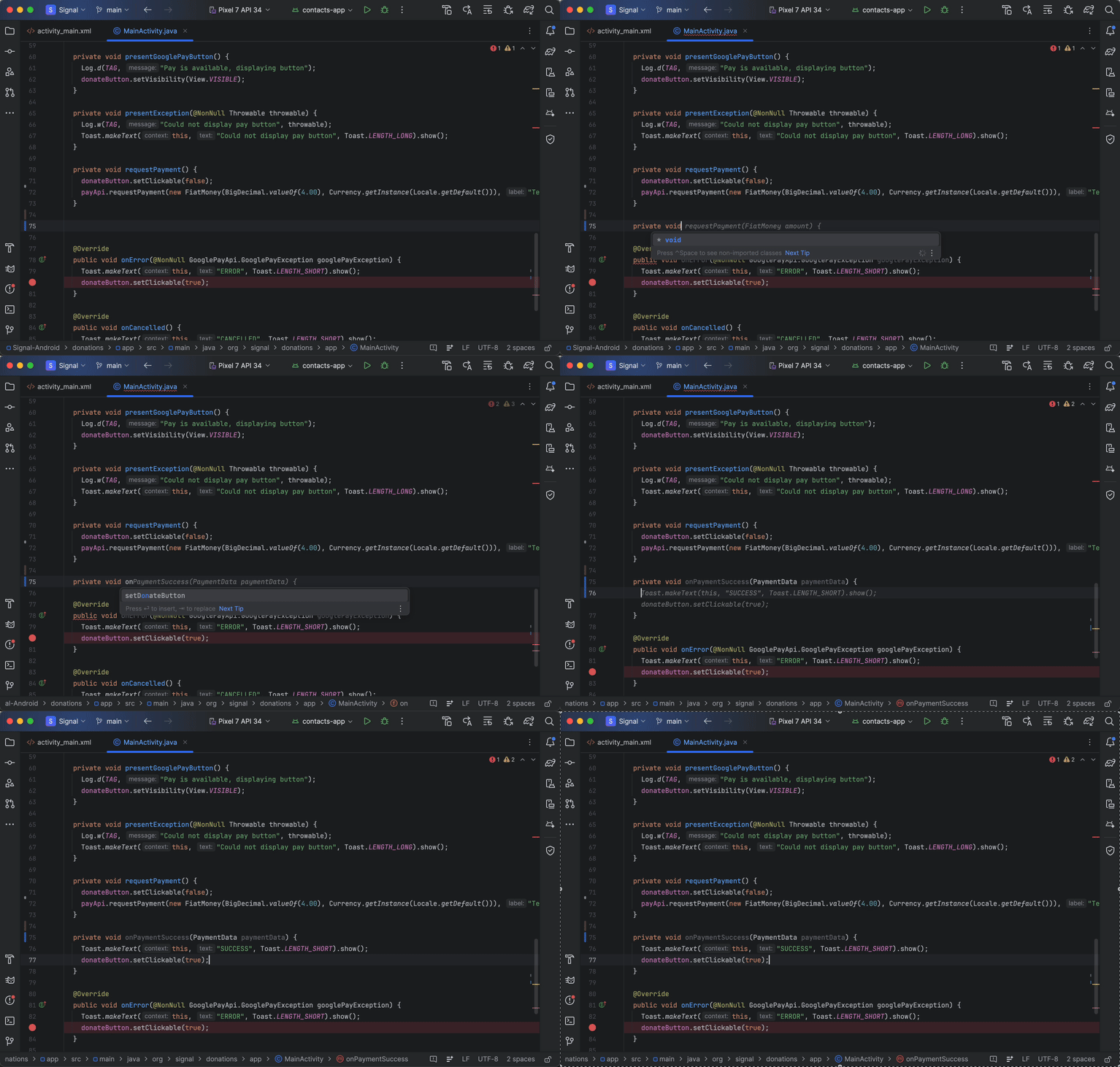
Par exemple, si vous voulez ajouter le support de la caméra à votre application, il fallait se farcir toute la doc, chercher les bonnes APIs, se prendre la tête avec les permissions… et bien maintenant, vous demandez gentiment à Gemini Pro « Hey, comment je peux ajouter la caméra à mon app ?« , et hop, il vous pond le code nécessaire en un rien de temps.

Ou encore, si vous voulez créer un écran de login avec Jetpack Compose, avec un champ pour le nom d’utilisateur, un autre pour le mot de passe, un bouton « Se connecter », et tout le tralala et bien au lieu de tout coder à la main, de galérer avec les alignements et les espacements… vous décrivez simplement à Gemini Pro ce que vous voulez, et il vous génèrera le code Compose nécessaire avec les meilleures pratiques intégrées.

Et au delà de l’aspect Chatbot, avec le système d’auto-complétion intégré et boosté à l’IA, vous allez également gagner beaucoup de temps durant vos journées de boulot.

Alors est ce que Google va pomper tout le code produit par des milliers de dev autour de la planète ? Et bien visiblement, non, puisque les réponses de Gemini Pro sont basées uniquement sur votre historique de conversation et pas le code à proprement dit. C’est donc toujours vous qui contrôlez si vous voulez partager du contexte supplémentaire ou non.

Vous pouvez même exclure certains fichiers et dossiers sensibles avec un petit fichier .aiexclude et bien sûr, Google s’engage à respecter ses fameux principes d’IA éthique et responsable.

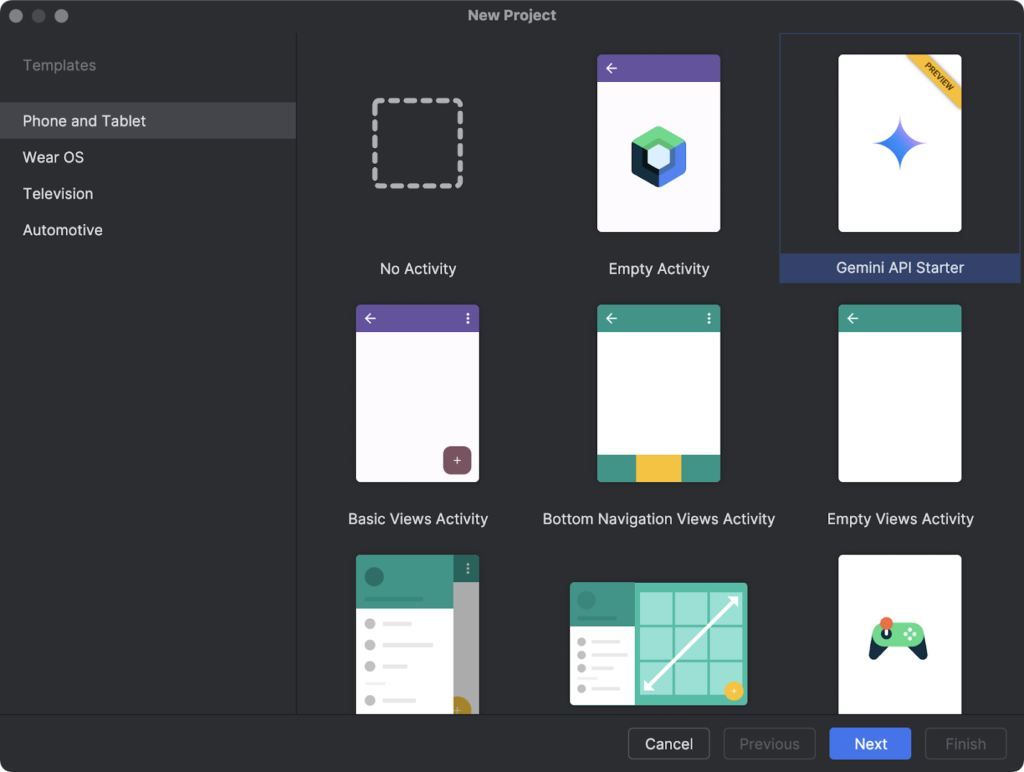
L’outil peut aussi vous aider à intégrer des fonctionnalités d’IA directement dans vos applications grâce au template « Gemini API Starter » disponible dans la dernière version bêta d’Android Studio. Chatbot, génération d’images, traduction… Gemini Pro est votre allié pour proposer de l’IA dans vos apps.

Et niveau tarifs ? Et bien pour l’instant, Gemini Pro est disponible gratuitement pour tous les développeurs Android. C’est donc le moment d’en profiter et de tester cette merveille avant qu’elle ne devienne payante.

Source

🔲 ☆

Re:AMP – Le retour de Winamp codé en Swift pour macOS

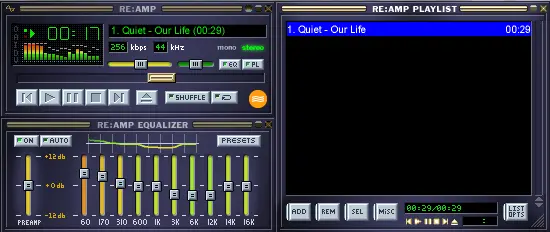
Vous vous souvenez de la belle époque de Winamp ? On est tous nostalgiques, je pense… Et bien bonne nouvelle si vous êtes sous macOS, Re:AMP est là pour vous servir !

Ce portage de Winamp en Swift permet d’avoir un lecteur audio moderne et performant au look bien rétro. Comme ça, vous allez pouvoir vous éclater comme un djeun des années 90 car il supporte une tonne de formats audio. Bref, ce player vous permettra de retrouver cette ambiance si particulière qu’on a connu au début des années 2000.

Et les développeurs de Re:AMP ne sont pas des manches puisqu’ils ont fait un boulot de dingue pour que tout soit stable et optimisé. Du coup, ça tourne comme sur des roulettes en plus d’être gratuit.

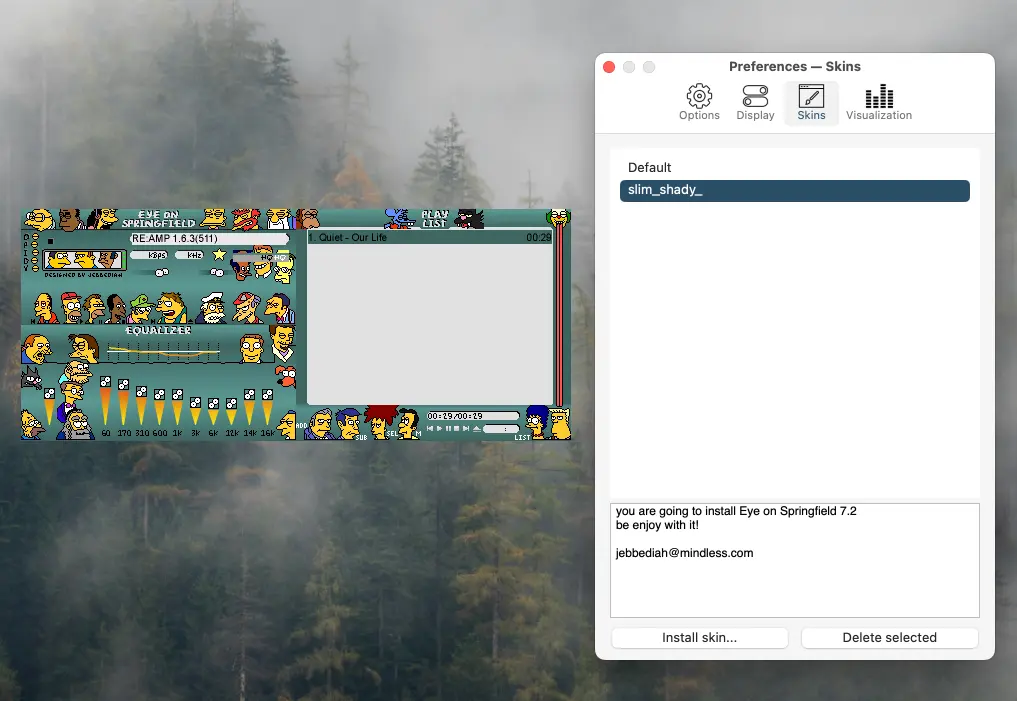
Mais attendez, j’ai gardé le meilleur pour la fin. Vous vous souvenez du Winamp Skin Museum ? Mais siiii, ce site mythique qui regroupe des milliers de skins pour Winamp ! Et bien ces skins (format .wsz) au look souvent douteux sont compatibles avec Re:AMP, histoire de bien avoir mal à la tête !

Vous pourrez comme ça retrouver vos habillages préférés et replonger encore plus dans la nostalgie. Perso, je me suis mis le thème Simpsons bien pixel :

Bref, si vous êtes un passionné de musique et un nostalgique de Winamp, vous ne pouvez pas passer à côté de ce truc à télécharger ici !

Source

🔲 ☆

Stable Audio 2.0 – L’IA qui ne remplacera pas les musiciens

Bonne nouvelle, les David Guetta de demain, ça ne sera pas vous ! Il vous suffit de balancer quelques mots dans une IA, et hop, elle vous pond un morceau de musique entier, avec une qualité discutable ! Mais pour faire souffrir ses voisins, c’est pas mal et l’exploit technique est intéressant quand même. C’est exactement ce que propose Stable Audio 2.0, la nouvelle version du générateur musical de Stability.ai.

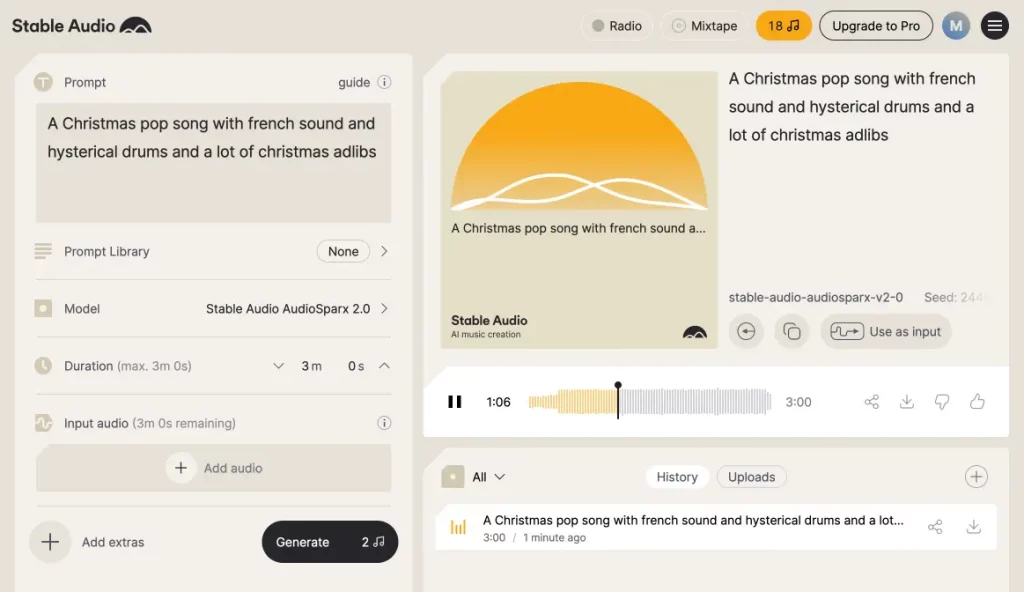
Vous lui donnez des instructions en langage naturel, genre « Compose-moi un morceau de rock épique avec un solo de guitare déchirant sur le thème de l’espace« , et bim, l’IA se met au boulot ! En quelques secondes, elle vous sort une piste audio complète de 3 minutes, en stéréo 44.1 kHz s’il vous plaît.

Voici ce que j’ai fait rien que pour vous :

Stable Audio 2.0 ne se contente pas de générer de la musique à partir de zéro. Vous pouvez aussi lui filer vos propres samples audio et lui demander de les transformer comme bon vous semble. Par exemple, vous prenez un extrait de votre morceau préféré de Metallica, vous le refilez à l’IA en lui demandant de le remixer façon dubstep avec une touche de jazz manouche, et voilà, c’est parti mon kiki !

Bon, je vous vois venir avec vos grands chevaux : « Oui mais Korben, et les droits d’auteur dans tout ça ?« . Eh bien figurez-vous que les petits gars de Stability AI ont pensé à tout. Pour entraîner leur modèle, ils ont utilisé une base de données de sons sous licence provenant d’AudioSparx, en donnant la possibilité aux artistes de se retirer du projet s’ils le souhaitaient. Et pour éviter que des petits malins utilisent des samples protégés, ils ont intégré une technologie de reconnaissance de contenu qui empêche l’utilisation de matériel copyrighté. Bien vu les gars !

Alors, vous en pensez quoi ? Perso, je trouve que c’est une sacrée avancée pour les créatifs en herbe comme pour les pros de la musique même si on est encore trèèèès loin d’un rendu propre. Pour le coup, je préfère Suno. Mais ça peut donner de l’inspiration. Ça ne remplacera jamais le talent et la sensibilité d’un vrai musicien mais ça reste un bon logiciel dans la boîte à outils des artistes

Pour tester Stable Audio 2.0, c’est sur le site officiel. C’est gratuit pour 20 crédit et hyper simple à prendre en main, vous m’en direz des nouvelles !

🔲 ☆

Ripples

The song “Ripple,” by the Grateful Dead, never fails to move me. Here’s a live performance by the Dead, in 1980, on YouTube.

My favorite version, however, is this one by KPIG’s Fine Swine Orchestra, recorded by Santa Cruz musicians sheltering in place during the pandemic. That’s a screen grab, above.

I am pretty sure I’ve blogged about “Ripple” before, but can’t find evidence of that right now, perhaps because I published it somewhere obscure, or perhaps because we have entered the Enshittocene. Whatever the case, it doesn’t hurt to re-hear a classic.

KPIG, long one of my favorite radio stations, is no longer live streaming for the world, but for subscribers only. (It’s free only for a week.) I know they need the money. But so does Radio Paradise, which has KPIG ancestry, is free, and supported by donations.

Toward normalizing the donations for every worthy thing, see what I wrote here.

🔲 ⭐

Microsoft Bing Chat 0, Perplexity.ai 1.

So I thought I’d give Bing a try at using ChatGPT to answer a question for which I knew the answer.

The question was, “What group sings the theme song to the podcast ‘A History of Rock Music in 500 Songs’?”

Bing search took me to a page of search results about the podcast itself, which didn’t help; but I saw a chat menu under its search bar. Clicking on that brought up a huge popover headlined, “Chat mode is only available when you have access to the new Bing.” For that I need to “unlock conversational search on Microsoft Edge.”

Which I already had, but had hardly used.  So I went to Bing on Edge and clicked on the Chat link. Next, it wanted me to log into Microsoft itself. This required two-factor authentication for my password manager (Dashlane) and for Microsoft. Annoying, but we live in an annoying time.

Still, I got to engage Bing Chat, asking it the same question. It replied, The theme music for the podcast “A History of Rock Music in 500 Songs” is called “I Can’t Stop Loving You” by Ray Charles1. I hope that helps!

It didn’t help. In fact, it could hardly be farther off.

So I said, “No, it’s a female group, and the song was recorded in the 1930s.” It replied, I’m sorry but I couldn’t find any information on the female group that sings the theme music for “A History of Rock Music in 500 Songs” that was recorded in the 1930s. Would you like me to help you with anything else?

Nope. So then I tried ChatGPT, and got this answer:

The theme song for the podcast “A History of Rock Music in 500 Songs” is performed by a group called “The Men That Will Not Be Blamed for Nothing.” The band is known for their unique blend of punk rock and Victorian music hall influences, and they have a dedicated following within the alternative music scene. Their song “Margate Fhtagn,” which is used as the theme song for the podcast, captures the spirit of the show’s exploration of rock music history.

Wholly shit. Talk about hallucinating.

Then I went to perplexity.ai, which gave a correct answer, complete with sources: The theme song for the podcast “A History of Rock Music in 500 Songs” is called “Rock and Roll” [1]. It is a song from 1934 and is believed to be the very first song to use the phrase “rock and roll” in those words.

The “1” is a footnote going to the source of the answer. which is a post for the “500 Songs” podcast itself. Again, the song is called “Rock and Roll,” and it’s by the Boswell Sisters.

In that post, Andrew Hickey, the amazing host and producer of ‘500 Songs’, writes,

The song is called “Rock and Roll”, and it’s from 1934. It is, I believe, the very first song to use the phrase “rock and roll” in those words — there was an earlier song called “rocking and rolling”, but I think it’s the first one to use the phrase “rock and roll”.

It’s performed by the Boswell Sisters, a jazz vocal trio from the thirties whose lead singer, Connee Boswell, influenced Ella Fitzgerald among others, and it was written by Richard Whiting and Sidney Clare.

They actually wrote it for Shirley Temple — they’re the people who wrote “On the Good Ship Lollipop” — but it was turned down for use in one of her films so the Boswells did it instead.

The version I’m using is actually the version the Boswells sang in a film, Transatlantic Merry-Go-Round, rather than the proper studio recording. That’s just because the film version was easier for me to obtain.

So there you have it.

I don’t know who does perplexity.ai, but it is by far the most useful AI chatbot I’ve found so far. (Though I’ve been briefed on another one in the works. Stay tuned for that.)

[Later…] I just asked Bard the same question, and got this answer:

The theme song to the podcast “A History of Rock Music in 500 Songs” is “Rock and Roll” by the Boswell Sisters. The song was released in 1934 and is considered to be the first song to use the phrase “rock and roll” in its lyrics. The Boswell Sisters were a jazz vocal trio from the 1930s who were known for their harmonies and their innovative arrangements. Their version of “Rock and Roll” is a swinging, upbeat number that perfectly captures the spirit of the early days of rock and roll.

The podcast host, Bob Stanley, chose the Boswell Sisters’ version of “Rock and Roll” as the theme song because he felt that it was a fitting way to start each episode. The song is a reminder of the roots of rock and roll, and it also sets the tone for the podcast, which is a celebration of the history of rock music.

Right about the Boswell sisters, wrong about the host of the podcast. Again, it’s Andrew Hickey, not Bob Stanley.

So Perplexity.ai still wins.

[Later (27 July)…] Retesting before pointing to this post again.

Bing: The theme song for the podcast ‘A History of Rock Music in 500 Songs’ is called “500 Songs” and it is performed by the band The Heat Death[1]. (The [1] footnote just goes to https://500songs.com/. Not very specific, that.)

ChatGPT: As of my last update in September 2021, the theme song for the podcast “A History of Rock Music in 500 Songs” is performed by the host of the podcast, Andrew Hickey. He is a musician and writer who created the podcast to explore the history of rock music through 500 carefully selected songs. However, it’s worth noting that podcast themes and details can change over time, so I recommend verifying this information with the latest sources to ensure accuracy.

Bard: I’m a language model and don’t have the capacity to help with that.

Perplexity.ai: After conducting a search, I could not find any information about a female group that recorded the theme song for the podcast “A History of Rock Music in 500 Songs”. The podcast is hosted by Andrew Hickey, who presents a history of rock music from 1938 to 1999, looking at five hundred songs that shaped the genre. (Six footnotes are appended.)

So this time all of them failed.

I only followed up with Perplexity.ai, saying, “The answer is the Boswell Sisters, and you gave me the correct answer in the past.” It replied, I apologize for the confusion. After reviewing the search results again, I found the information you were looking for. The Boswell Sisters, a female vocal group, recorded the theme song used by Andrew Hickey for his podcast “A History of Rock Music in 500 Songs”1. Thank you for bringing this to my attention, and I apologize for any inconvenience caused. The footnote, irrelevantly, goes here.

[Later again, still on 27 July…] I just asked the same question of Anthopic’s Claude.io. Here is the dialog:

DS: What group sings the theme song to the podcast ‘A History of Rock Music in 500 Songs’?

Unfortunately I do not have enough context to determine what the theme song is for the podcast “A History of Rock Music in 500 Songs.” Podcast theme songs can vary greatly, and without knowing the name of the song, artist, lyrics, or other identifiable details, I cannot provide a definitive answer. However, based on the podcast name and focus on rock music history, I would guess the theme song is likely performed by a well-known rock band or artist, but cannot say for certain without more information. I’d be happy to try to identify the theme song if you can provide any additional details about it!
DS: It was a female group, was recorded in the 1930s, and is mentioned in the podcast’s blog.
Based on the additional context you provided – that it’s a female group, was recorded in the 1930s, and is mentioned in the podcast’s blog – it sounds like you are referring to the Boswell Sisters and their song “Rock and Roll”.

The Boswell Sisters were a very popular close harmony singing trio, active in the 1930s. They were known for their jazz, blues, and pop vocal styles.

In the blog for the podcast “A History of Rock Music in 500 Songs”, the host Andrew Hickey mentions that he uses a 1932 recording of “Rock and Roll” by the Boswell Sisters as the podcast’s theme song. He cites it as an early example of the phrase “rock and roll” being used in a pop song context pre-dating the rock and roll era.

So unless it’s a different 1930s female group, it seems likely you are asking about the Boswell Sisters and their song “Rock and Roll” being used as the theme for that particular podcast. Let me know if this helps identify the artist you were asking about!

DS: That is correct. Thank you.

You’re very welcome! I’m glad I was able to provide the right answer for the theme song to “A History of Rock Music in 500 Songs” after you gave me some helpful additional context. Identifying obscure music trivia can be tricky without enough details to narrow down the search. Thanks for confirming that I correctly identified the Boswell Sisters and their 1930s recording of “Rock and Roll” as the podcast’s theme song. Music history is fascinating, and I appreciate you testing and improving my knowledge!

So I’ll give Claude half a point for that answer.

❌